We’re rolling out
Calendar AI
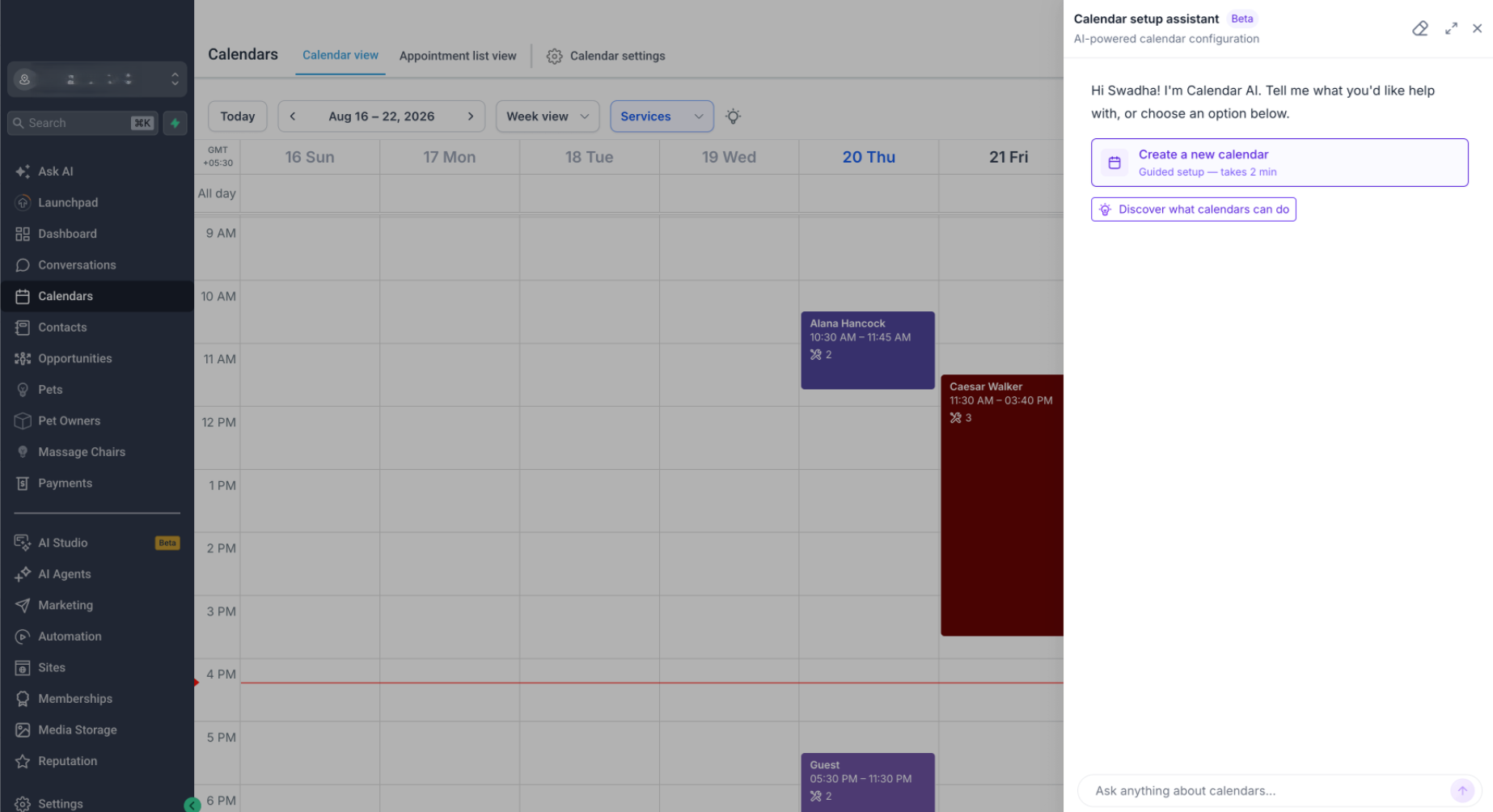
to make it easier for new users to go from “I need a calendar” → configured calendar → first booking.
What can users do with Calendar AI?
Users can simply describe what they need, and Calendar AI recommends and creates the appropriate calendar.
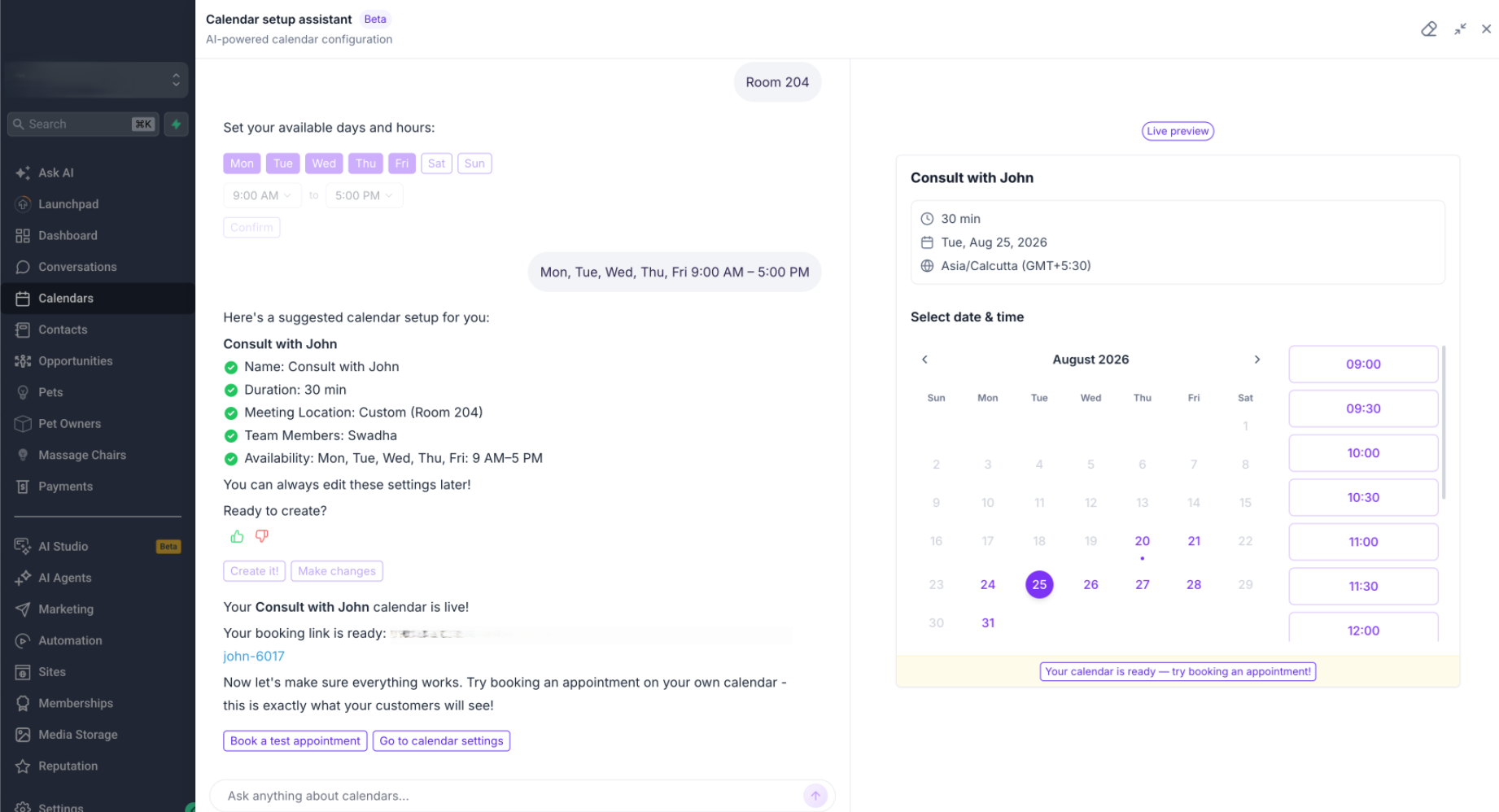
During the guided flow, users can:
- Describe their use case instead of figuring out which calendar type to create
- Add team members
- Configure availability
- Choose a meeting location
- See a live preview of the booking calendar
- Book a test appointment once setup is complete
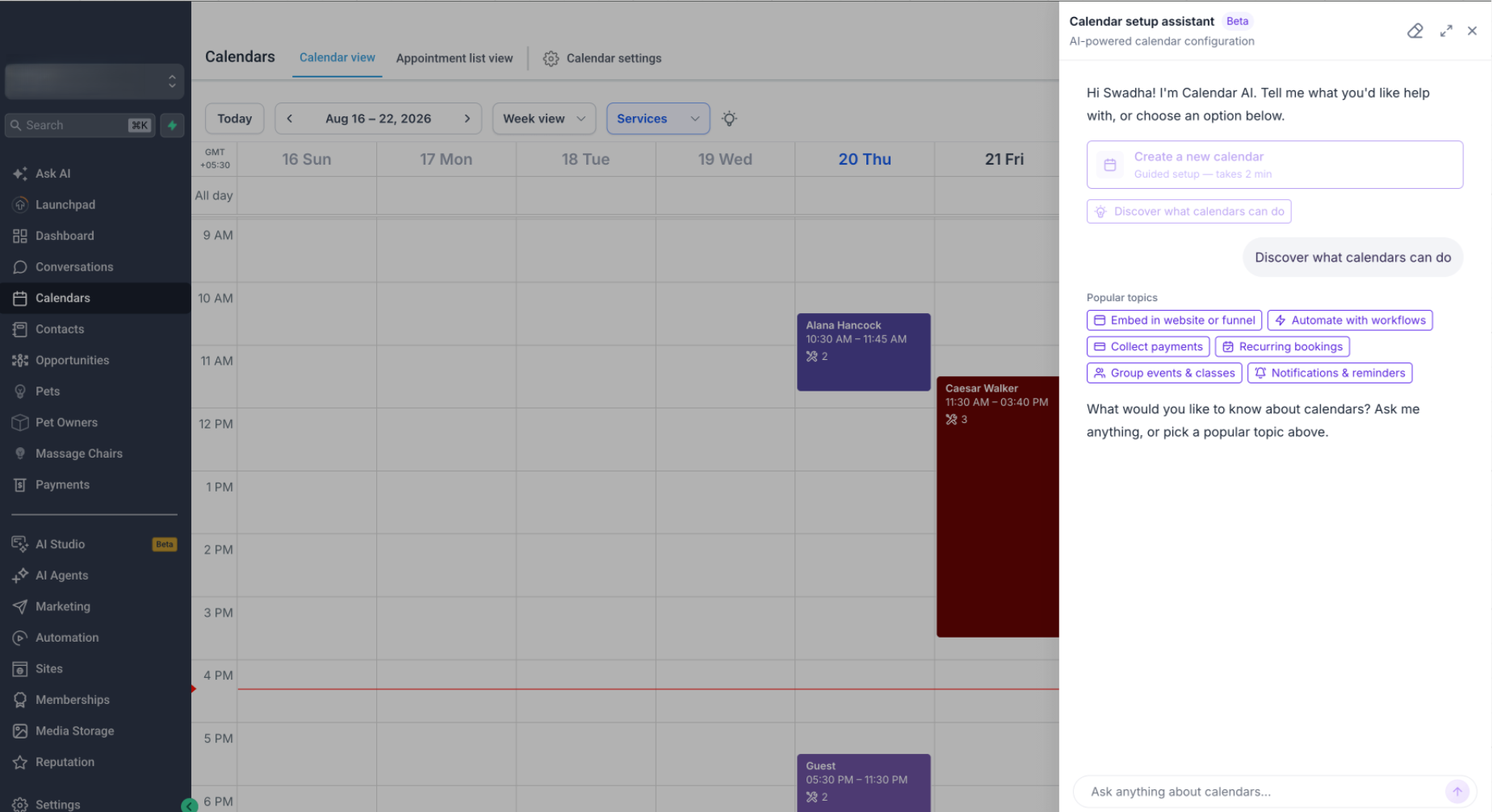
- Discover Calendar capabilities by asking questions or choosing from preset prompts
Next up — Calendar troubleshooting
We're extending Calendar AI to help with one of our common Calendar support questions:
>
“Why isn't this specific slot showing on my booking widget?”
Calendar AI will use the customer's Calendar configuration to identify
why the slot isn't available and what needs to change.
Was this article helpful?
That’s Great!
Thank you for your feedback
Sorry! We couldn't be helpful
Thank you for your feedback
Feedback sent
We appreciate your effort and will try to fix the article